You cannot select more than 25 topics
Topics must start with a letter or number, can include dashes ('-') and can be up to 35 characters long.
2.2 KiB
2.2 KiB
Alpine xfce4 noVNC
Simple and minimal Alpine Docker Image providing XFCE4 through html5 noVNC connection
Step by step tutorial on how this docker is created (https://www.youtube.com/watch?v=8IfTXJRAIJw)







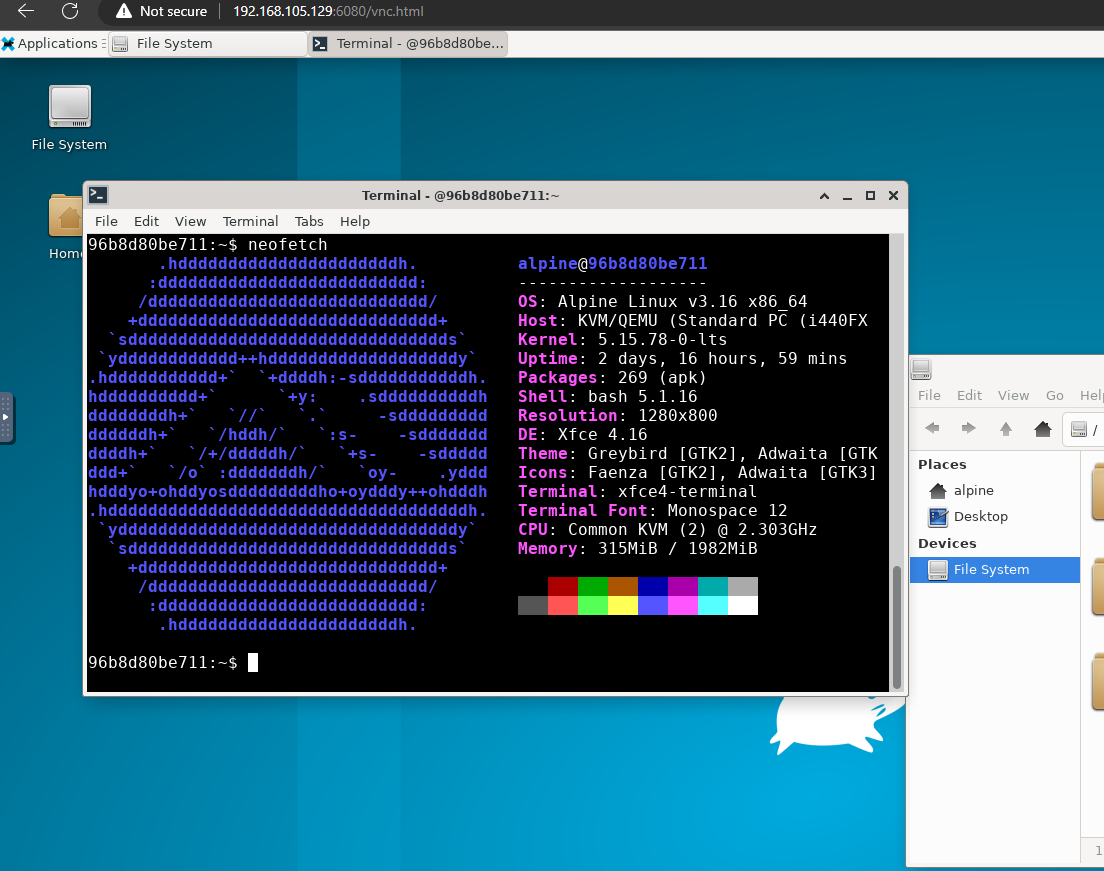
Updates
v0.1.2 removed password requirement for noVNC
v0.1.1 added firefox pulseaudio and audio support
v0.1.0 initial code
Build Image
git clone https://github.com/novaspirit/Alpine_xfce4_noVNC.git
docker build -t alpine-xfce4 Alpine_xfce4_noVNC/
Run Image
Using plain Docker
docker run -it -p 6080:6080 -p 56780:56780 --name alpine-novnc alpine-xfce4
Using Docker Compose
docker-compose up -d
You can set environmental values in .env file
Environment
ALPINE_PASSWORD- change password for useralpinePUBLIC_HTTP_PORT- set port for access to novnc.16080:6080would publish novnc on16080port.6080would automatically map random port.SCREEN_RESOLUTION- You can preset screen resolution for noVNC. Default values for resolution:- "1024x768"
- "1920x1200"
- "1920x1080"
- "1600x1200"
- "1680x1050"
- "1400x1050"
- "1360x768"
- "1280x1024"
- "1280x960"
- "1280x800"
- "1280x720"
- "800x600"
- "640x480"
TZ- You can set TimeZone
Connect With noVNC
Use modern browswer to connect to http://(docker ip):6080