You cannot select more than 25 topics
Topics must start with a letter or number, can include dashes ('-') and can be up to 35 characters long.
 14a1826700
- Dockerfile optimizations - Dockerfile labels added - Dockerfile readability improved - use copy directive instead of wget - use copy directive instead of echo - pin noVNC and websockify versions - docker-compose added - parametrized timezone, screen resolution and password for alpine user - formatted yaml, json, html files - vnc.html renamed to index.html for autostart novnc client on port - LICENSE file added - entrypoint rewrited for sh with better readablility |
2 years ago | |
|---|---|---|
| .github | 2 years ago | |
| .gitignore | 2 years ago | |
| Dockerfile | 2 years ago | |
| LICENSE.md | 2 years ago | |
| README.md | 2 years ago | |
| audify.js | 2 years ago | |
| docker-compose.yml | 2 years ago | |
| entrypoint.sh | 2 years ago | |
| index.html | 2 years ago | |
| pcm-player.js | 2 years ago | |
| preview.png | 3 years ago | |
| script.js | 3 years ago | |
README.md
Alpine xfce4 noVNC
Simple and minimal Alpine Docker Image providing XFCE4 through html5 noVNC connection
Step by step tutorial on how this docker is created (https://www.youtube.com/watch?v=8IfTXJRAIJw)








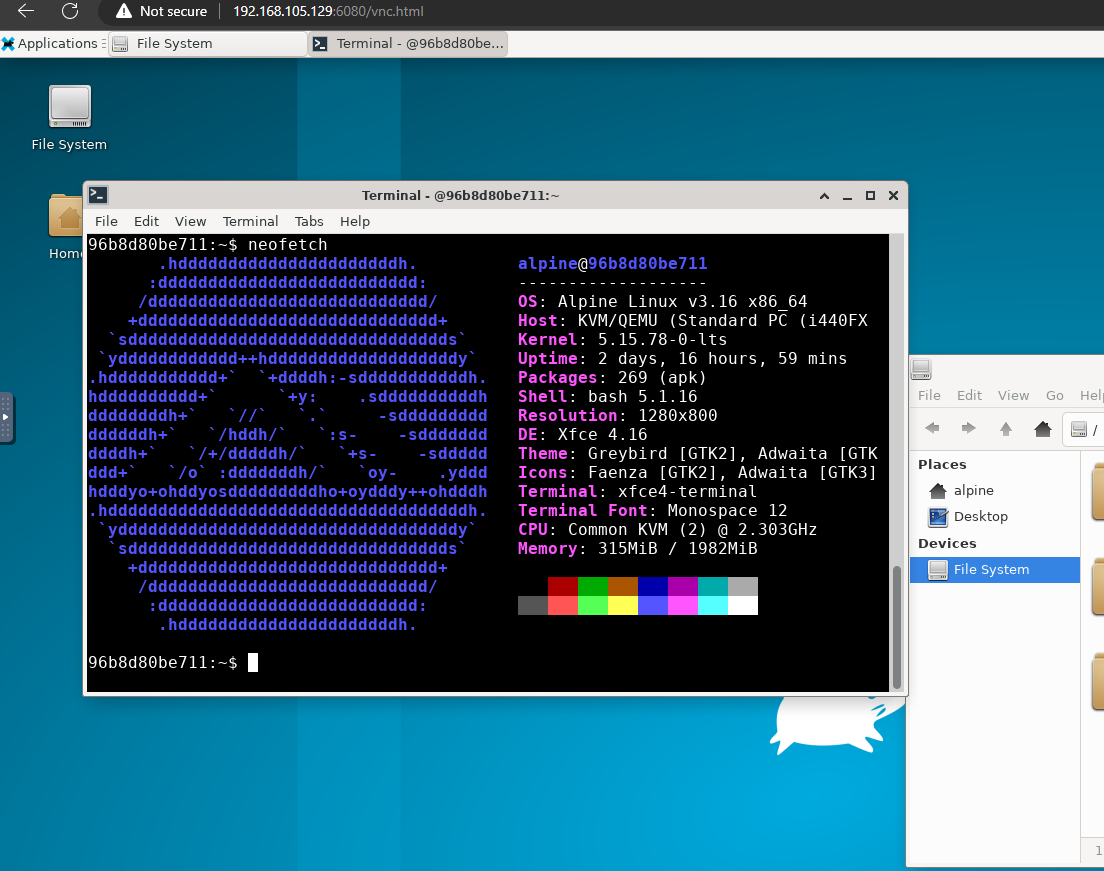
Updates
v0.1.2 removed password requirement for noVNC
v0.1.1 added firefox pulseaudio and audio support
v0.1.0 initial code
Build Image
git clone https://github.com/novaspirit/Alpine_xfce4_noVNC.git
docker build -t alpine-xfce4 Alpine_xfce4_noVNC/
Run Image
Using plain Docker
docker run -it -p 6080:6080 -p 56780:56780 --name alpine-novnc alpine-xfce4
Using Docker Compose
docker-compose up -d
You can set environmental values in .env file
Environment
ALPINE_PASSWORD- change password for useralpinePUBLIC_HTTP_PORT- set port for access to novnc.16080:6080would publish novnc on16080port.6080would automatically map random port.SCREEN_RESOLUTION- You can preset screen resolution for noVNC. Default values for resolution:- "1024x768"
- "1920x1200"
- "1920x1080"
- "1600x1200"
- "1680x1050"
- "1400x1050"
- "1360x768"
- "1280x1024"
- "1280x960"
- "1280x800"
- "1280x720"
- "800x600"
- "640x480"
TZ- You can set TimeZone
Connect With noVNC
Use modern browswer to connect to http://(docker ip):6080