You cannot select more than 25 topics
Topics must start with a letter or number, can include dashes ('-') and can be up to 35 characters long.
 50e4ccd1cc
|
4 years ago | |
|---|---|---|
| .. | ||
| README.md | 4 years ago | |
| chrome-devtool.PNG | 4 years ago | |
| vscode-breakpoint.PNG | 4 years ago | |
| vscode-debug.PNG | 4 years ago | |
README.md
VueJS Quick Guide
-
Note : Most of razer app are using vue 2.x.
-
Blog Vue 2 vs Vue 3
-
Install
vue cli3.x# uninstall previous version of vue-cli 2.x $ npm uninstall vue-cli -g # install latest vue-cli # vue-cli 4.x, recommended nodejs v10+ $ npm install -g @vue/cli # to upgrade cli package $ npm update -g @vue/cli # Using vue GUI to scaffold a project $ vue ui # create a new project using CLI $ vue create <projectname> # launch app $ npm run serve# install vue cli 2.x $ npm install -g vue-cli $ npm install -g vue-cli@<version> # Create project $ vue init webpack <projectname> # launch app $ npm run dev
Debuggging
-
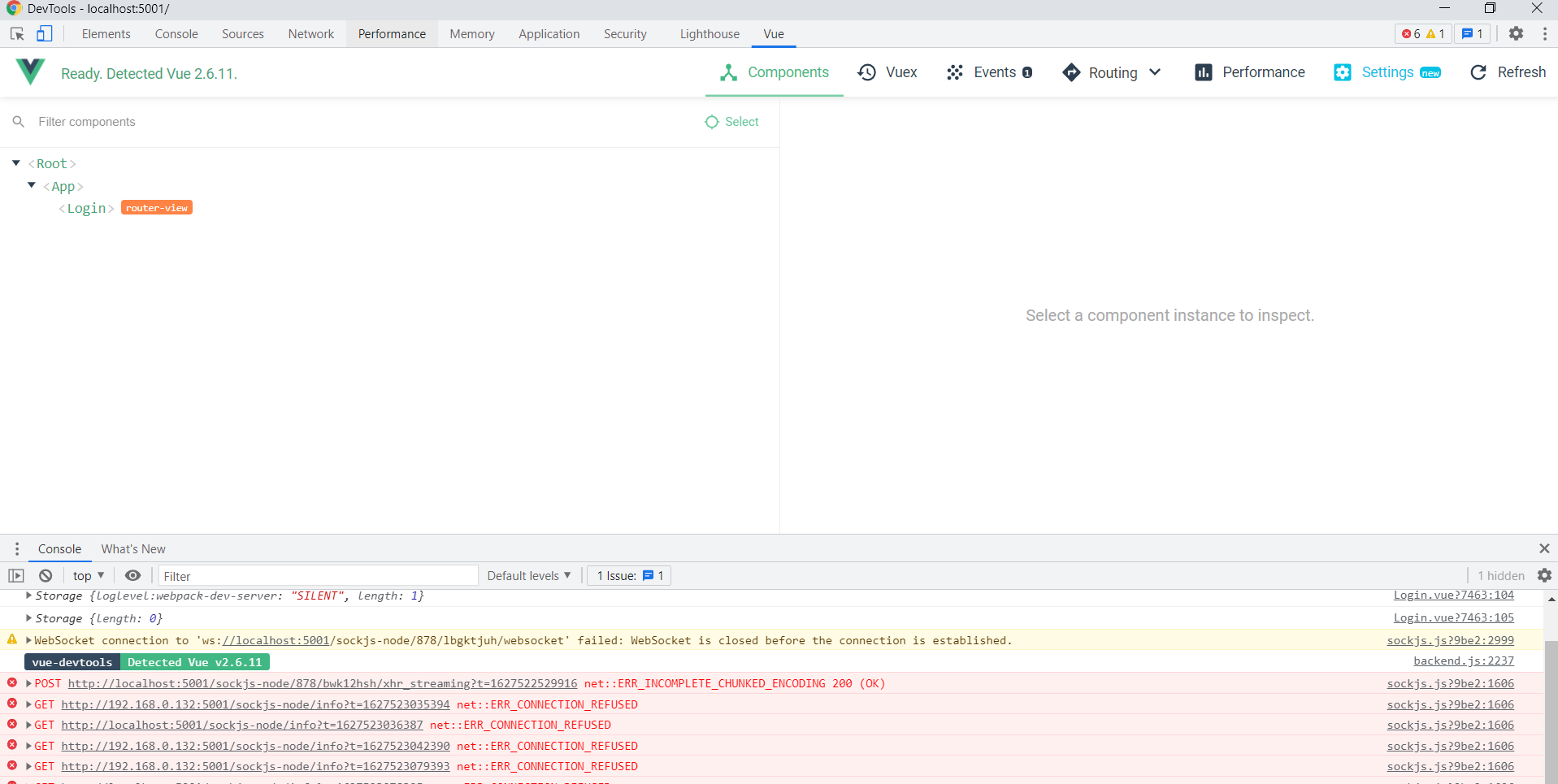
Chrome VueJS DevTool to debug on Chrome browser directly
-
Debug within VSCode
-
To check
vue-cliversion installed$ vue --version @vue/cli 4.5.13 -
For
vue-cli3.x and above, add this tovue.config.jsat root foldermodule.exports = { configureWebpack: { devtool: 'source-map', }, }; -
For
vue-cli2.x, add this toconfig/index.js(No verified)devtool: 'source-map', -
Update the vscode
launch.json"configurations": [ { "type": "pwa-chrome", "request": "launch", "name": "vuejs: chrome", "url": "http://localhost:5001", "webRoot": "${workspaceFolder}/src", "breakOnLoad": true, "sourceMapPathOverrides": { "webpack:///src/*": "${webRoot}/*" } } ] -
Launch the
vueapp$ npm run serve -
Launch
vscodedebug profile
-
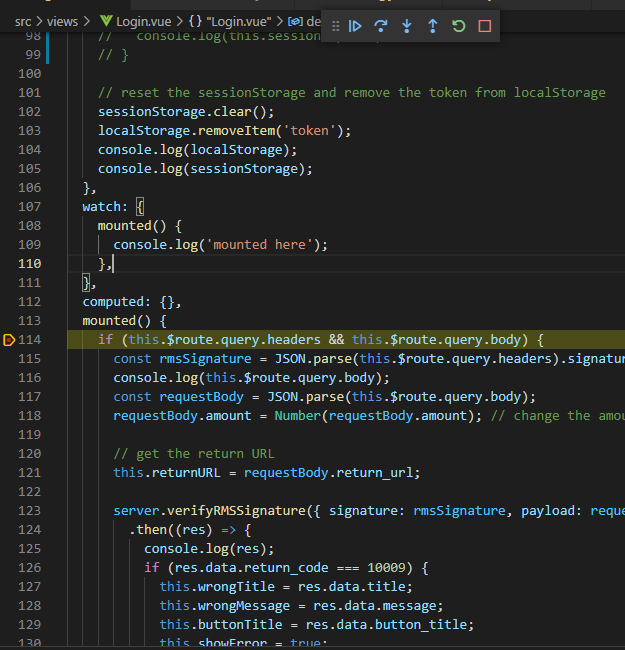
Set breakpoint on
vscodeto debug